
Searching Customers
Search for and view private and business customer profiles.
The Customers section allows staff to search for and view customer profiles. Customers are categorised as either Private or Business.
Viewing the customer list
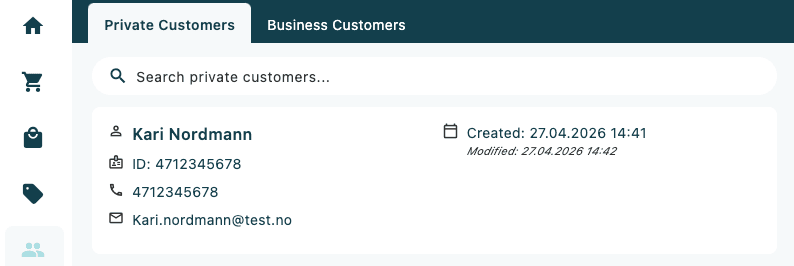
The customer list displays the following for each record:
- Customer name
- Customer ID number
- Phone number
- Email address (where available)
- Date created and last modified
Use the tabs at the top of the screen to switch between Private Customers and Business Customers. Use the search bar to find a customer by name, phone number, or ID.
Customer profile
Tapping a customer from the list opens their full profile. The profile is divided into three tabs covering their personal details, order history, and account information.