
Viewing and Searching Carts
View, search, and filter active shopping carts associated with your store.
The Carts section displays all active shopping carts associated with your store. A cart represents a collection of items a customer has selected but not yet completed as an order.
Viewing carts
Each cart entry displays the following information:
- Cart reference number (e.g.
C105056) - Name of the staff member who created the cart
- Store name
- Date and time the cart was created and last modified
- Total cart value in NOK
Finding a cart
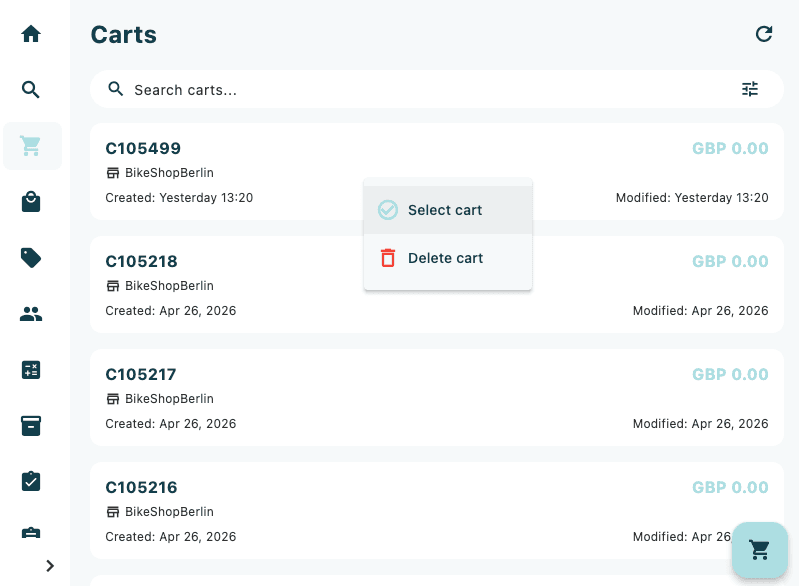
Use the search bar at the top of the screen to locate a specific cart by reference number or customer name. The filter icon in the top-right corner can be used to narrow results further.